The Hidden Language of ChatGPT Photo Editing: Why Some Requests Work and Others Fail
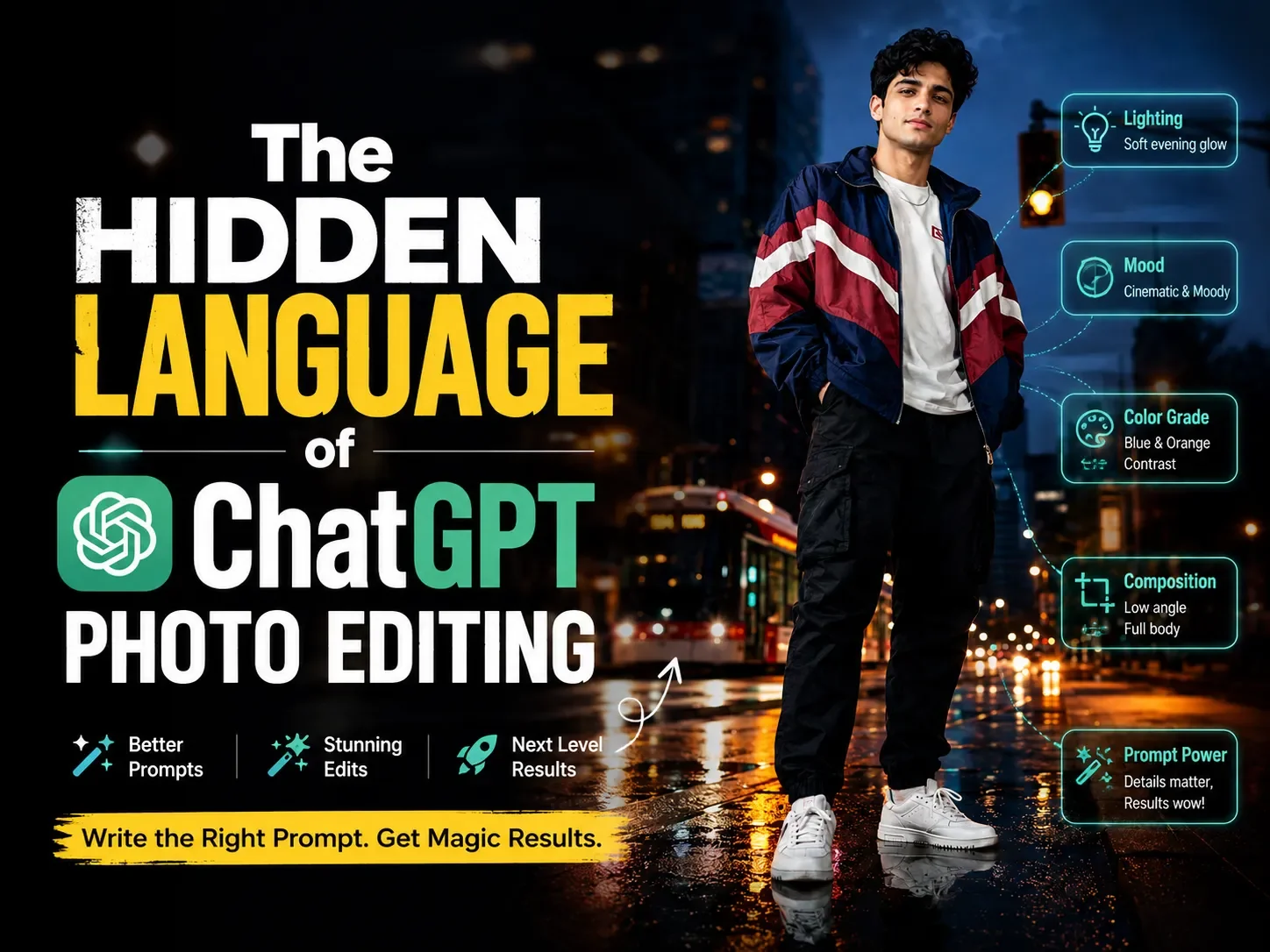
If you've spent any time trying to turn a normal selfie into an editorial style portrait, you've probably hit this wall, one prompt gives you a flawless, magazine quality result, and another that looks almost identical on paper gives you a warped face, the wrong outfit, or a random person who isn't you. This isn't random luck. ChatGPT's image editing follows a fairly consistent internal logic, and once you understand it, you can predict whether a prompt will work before you even hit enter.
Quick answer: ChatGPT doesn't "edit" your photo the way Photoshop does. It reads your uploaded photo as a reference, reads your text as a set of construction instructions, and rebuilds a brand-new image around whatever you described. Requests fail almost always for one of four reasons: the instruction was too vague, it contradicted itself, it left a gap the model had to guess-fill, or it tried to do too many things in one sentence. Fix those four issues and your success rate jumps dramatically.
ChatGPT Doesn't Edit Photos It Rebuilds Them From Instructions
This is the single biggest misunderstanding people bring into AI photo editing. When you upload a photo and type a prompt, ChatGPT isn't opening a layer on top of your image and painting changes onto it. It's generating an entirely new image, using your uploaded photo purely as a facial and identity reference, and using your text as the blueprint for everything else pose, outfit, background, lighting, camera style.
That's why the strongest prompts (the kind used across ChatGPT photo editing prompts built for bikes, sarees, gym shots, or bridal looks) always open with a line like "preserve their exact face, facial features, skin tone, and identity with 100% accuracy." That sentence isn't decoration. It's a hard anchor telling the model which part of the output must stay locked to your photo, and which parts are free to be invented from scratch. Without that anchor, the model treats your entire photo as a loose stylistic reference rather than an identity to preserve — and that's when you start seeing a face that's "kind of" you.
The Five Layers ChatGPT Actually Listens To
Every prompt that consistently works, across categories like bridal, gym, or bike lover portraits, is built from the same five layers, in roughly this order:
- Identity lock: what must never change (face, skin tone, features).
- Pose: the exact physical position of the body, hands, head, and gaze.
- Outfit: specific garments, colors, fit, and accessories.
- Setting: the environment, props, and background elements.
- Lighting, style, and technical specs: light direction and mood, photography style, lens/aperture behavior, and aspect ratio.
The model processes instructions almost like a checklist. Each layer you leave blank isn't skipped — it's filled in with the model's own default assumption, which is frequently not what you pictured. Each layer you leave vague gets resolved using whatever interpretation is statistically most common in its training data, which tends to produce generic, "AI-filter" looking results instead of something intentional.
Case File: Six Requests That Failed and the Exact Reason Why
Here's where it gets useful. Below are six realistic prompt patterns people commonly try, what typically goes wrong, and the specific mechanical reason behind the failure.
Case 1: "Make me look cool on a bike"
What happens: You get a generic motorcycle (often not even the brand you had in mind), a stock pose, and lighting that doesn't match the mood you wanted.
Why it fails: This prompt only specifies an outcome ("cool"), not instructions. ChatGPT doesn't have a shared definition of "cool" it has to invent a pose, outfit, motorcycle model, and setting all on its own. Vague adjectives like cool, aesthetic, or nice don't function as instructions; they function as empty slots the model fills with its most statistically average interpretation, which is why the results feel generic.
Case 2: "Add a Royal Enfield in the background but keep everything else exactly the same"
What happens: Either the bike looks pasted-in and unrealistic, or the model changes your pose, lighting, and background anyway despite the instruction not to.
Why it fails: This is a self-conflicting instruction. Adding a large, physically grounded object like a motorcycle into a scene inherently requires new lighting, shadows, and spatial composition you can't add a foreground object "for free" without touching the environment around it. When an instruction asks for a structural change and a total-preservation guarantee at the same time, the model has to silently break one of the two rules, and you don't get to choose which one.
Case 3: "Make my skin glow"
What happens: Skin tone shifts noticeably, texture gets smoothed into a plastic-looking finish, and sometimes the face starts drifting from the original identity.
Why it fails: "Glow" is a subjective, unbounded instruction with no defined limit. Compare that to a well-built prompt that instead specifies "soft, even natural light with subtle warm highlights on the skin." One tells the model a lighting condition to render; the other tells it to apply an undefined amount of a vague effect directly onto the face which is exactly the region you also asked it to preserve. Undefined intensity instructions almost always overcorrect.
Case 4: "Give me a sharper jawline but keep my face exactly the same"
What happens: Either the identity-lock instruction wins and nothing changes, or the jawline instruction wins and the face stops looking like you.
Why it fails: This is a direct logical contradiction, not just tension. "Keep my face exactly the same" and "change a specific facial feature" cannot both be fully true. Identity-lock instructions are usually the most heavily weighted part of a well-built prompt, so in practice the model tends to ignore the smaller conflicting request but the result feels inconsistent because, from your side, it looks like the model "ignored" you.
Case 5: A perfectly detailed prompt, but no aspect ratio specified
What happens: You get a great image, but it renders as a square or landscape frame instead of the vertical 9:16 you needed for Reels or Stories, and cropping it afterward cuts off part of the composition.
Why it fails: Aspect ratio isn't a passive setting the model infers from context it's a technical parameter that has to be explicitly stated, the same way lens focal length or depth of field does. Leaving it out doesn't mean "figure out what I need it for"; it means the model defaults to whatever ratio is most common for the style of image being generated.
Case 6: A single sentence trying to specify pose, five outfit details, three background elements, and a specific mood
What happens: Some details show up correctly, others are dropped entirely, and a few get blended into something that matches neither instruction.
Why it fails: This is instruction overload. Long, unstructured run-on prompts make it harder for the model to weight each detail correctly, so it tends to prioritize the details mentioned earliest or most vividly and quietly drop or blur the rest. This is exactly why the best-performing prompts are broken into clearly labeled sections Pose:, Outfit:, Setting:, Lighting:, Style: rather than one long paragraph. Structure isn't a formatting preference; it's what lets the model allocate attention to each layer independently instead of averaging them together.
Why This Keeps Happening: The Pattern Behind Every Failure
Looking at all six cases together, the failures collapse into four root causes:
- Vagueness gets filled with the model's statistical average, not your intention.
- Contradiction forces the model to silently pick a winner between two instructions.
- Missing information gets replaced with a default you didn't choose.
- Overload causes the model to under-weight details buried in a dense paragraph.
Every prompt that "just works" on the first try is one that avoids all four. That's not a coincidence it's the actual mechanism.
The Fix: A Structure That Removes the Guesswork
Once you see the pattern, the fix is mechanical rather than creative. Before you send a photo-editing prompt, run it through this checklist:
- Identity line first. Open with an explicit instruction to preserve face, features, and skin tone, and state that the uploaded photo is strictly the facial reference.
- One clear pose. Describe hands, gaze, and body position specifically not an emotion, an actual physical arrangement.
- Outfit as a list, not a vibe. Name garments, colors, and fit rather than a style label like "stylish."
- Setting as a place, not a mood. Describe the actual environment and props, not an adjective.
- Lighting as a light source and direction, not an effect applied to skin.
- A named photography style and lens detail (e.g., "85mm, full frame, shallow depth of field") this anchors realism far more reliably than saying "realistic."
- An explicit aspect ratio.
- No contradictions. If two instructions can't both be fully true at once, the prompt will fail one of them so remove the conflict instead of hoping the model resolves it your way.
This is exactly the structure behind the ready to use prompts across categories like Girls Portrait, Wedding & Pre-Wedding, and Old Money & Luxury each one deliberately separated into labeled sections so nothing gets buried or contradicted. If you'd rather skip building a prompt from scratch, you can browse the full prompt library and copy one that already follows this structure.
Frequently Asked Questions
Why did ChatGPT change my face even though I asked it to keep it the same?
Usually because another instruction in the same prompt indirectly required a facial change like a skin effect, a lighting style, or a pose that alters the visible angle of the face creating a conflict the identity-lock instruction couldn't fully win.
Why do vague prompts like "make it aesthetic" give worse results than long, detailed ones?
Vague adjectives don't tell the model what to render; they leave a gap that gets filled with the most statistically common interpretation, which tends to look generic rather than intentional.
Does writing a longer prompt always give a better result?
No, length only helps if the prompt is structured into clear sections. A long, unstructured paragraph with too many details often performs worse than a shorter, clearly organized one, because the model has to guess which details matter most.
Why does leaving out the aspect ratio cause cropping problems?
Aspect ratio is a technical parameter, not something the model infers from your intended use case. Without it, the model defaults to whatever ratio is statistically typical for that image style, which is frequently not the vertical format needed for Reels or Stories.